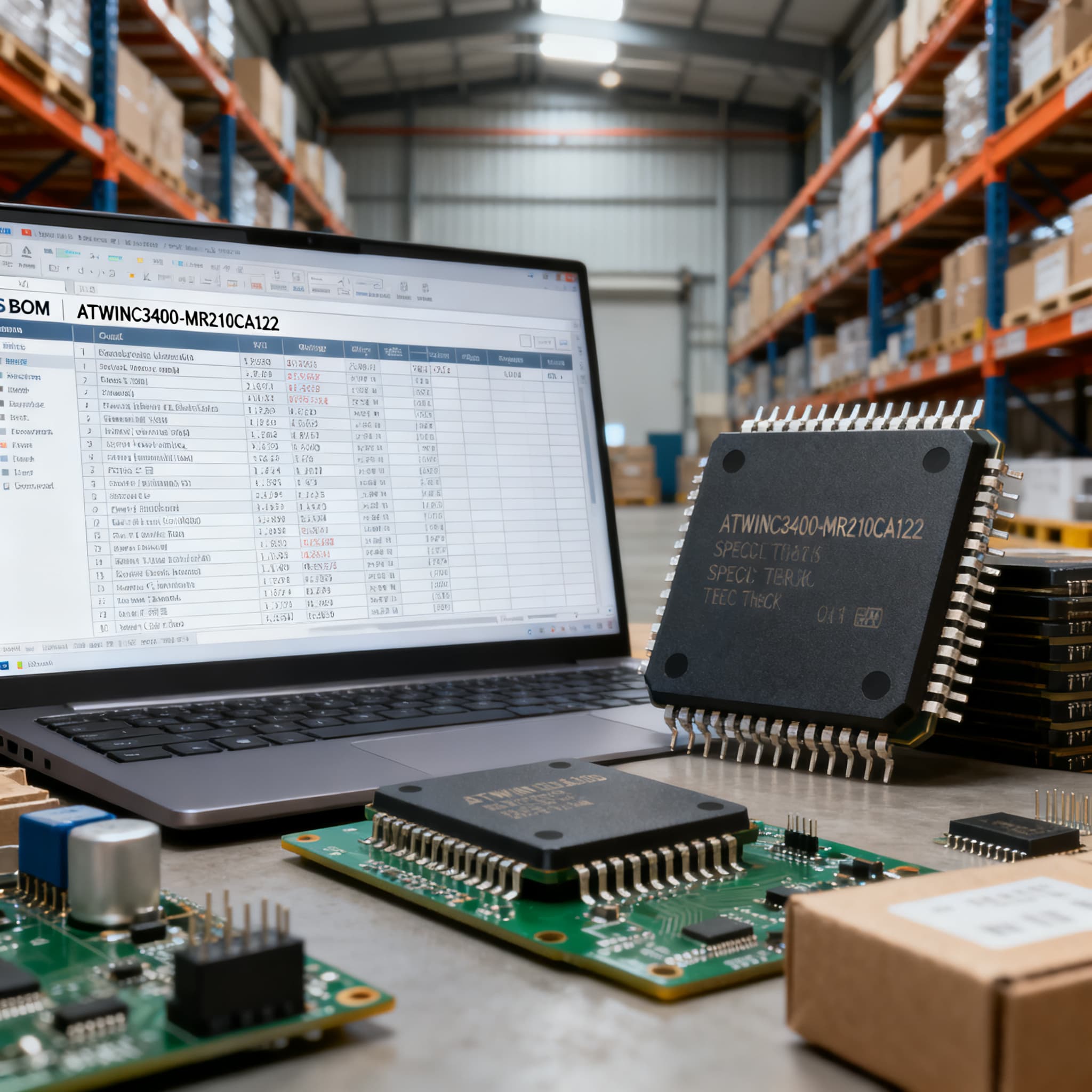
ATWINC3400-MR210CA122 Procurement Guide: Pinout and Spec Checks for RFQ
ATWINC3400-MR210CA122 procurement checklist: datasheet specs and pinout fields to verify on RFQ, plus BOM upload path on BOMNow.
Why ATWINC3400-MR210CA122 Orders Trip on Software Version Numbers
Engineers and procurement teams often treat the ATWINC3400-MR210CA family as a single interchangeable module, only to discover during board bring-up that the Wi‑Fi/BLE stack behaves differently than expected. The root cause almost always sits in the last three digits of the ordering code. The ATWINC3400-MR210CA122 is not a generic pull; it is a version‑locked module that ships pre‑flashed with software v1.22. Microchip’s own datasheets make this explicit: “At the time of publish, the software is v1.22, so its equivalent order code is ATWINC3400-MR210CA122” [1][2]. Missing that detail opens a procurement gap that can stall an entire production run.
When a buyer issues an RFQ for “ATWINC3400-MR210CA” without the CA122 suffix, the distributor may deliver an older firmware variant such as a CA0 or CA1 part, even if the physical module looks identical. Because the ATWINC3400 relies on a host MCU to run the protocol stack, the host driver expects a specific firmware API. If the module returns an incompatible version, the link simply won’t come up. The result is a costly line stop while your firmware team scrambles to understand why a “known‑good” BOM just failed. Microchip’s ordering table [4] confirms that the order code changes with each software release, so the suffix is a functional parameter, not an administrative revision.
From a supply‑chain perspective, this version‑locking creates a subtle but high‑risk procurement constraint. Firmware‑locked modules cannot be blind‑substituted across date codes or distribution stock without a design verification cycle. Procurement managers should therefore treat the full string ATWINC3400-MR210CA122 as the approved vendor list item number and require that every quote, packing slip, and incoming inspection label carries exactly that MPN. In the sections that follow we unpack how to read the module marking, compare alternative paths, and build an RFQ that prevents the version‑drift pitfall.
Inside the ATWINC3400-MR210CA122: Pinout and Key Performance Parameters
Before sending an RFQ, it is worth confirming that the module’s electrical and mechanical footprint matches the PCB layout already in your design. The module is a self‑contained 36‑pin LGA package measuring 14.0 × 14.3 × 2.1 mm, with the antenna integrated on‑board, so no external RF path is needed. Table 1 pulls together the parameters that procurement and NPI engineers most frequently cross‑check during sourcing, drawing from the official datasheets [1][2].
| Parameter | Value/Description | Notes |
|---|---|---|
| Package type | 28‑pin LGA | 14.0 × 14.3 mm, 1.25 mm pitch |
| Wi‑Fi standard | IEEE 802.11 b/g/n | Single‑stream, 2.4 GHz only |
| Bluetooth | BLE 5.0 | Central/peripheral roles |
| Host interface | SPI (primary) or UART | SPI is required for Wi‑Fi; UART may be used for debug/BLE HCI transport |
| Transmit power (Wi‑Fi) | +18.5 dBm (802.11b, 1 Mbps) | Measured at antenna reference plane |
| Receiver sensitivity (802.11b) | –97.5 dBm at 1 Mbps | DS70005350B, Sec. 4.4 |
| Supply voltage | 2.7 V – 4.2 V (VDDIO 1.8‑3.6 V) | Single supply pin with internal regulators |
| Operating temperature | –40 °C to +85 °C | Industrial ambient; junction temperature monitored internally |
| Antenna | Integrated PCB trace antenna | No external antenna needed; keep‑out area per module datasheet |
| Pre‑flashed firmware | v1.22 | Order code suffix CA122 locks the firmware revision |
| Regulatory certifications | FCC, IC (Canada), ETSI, MIC (Japan) | Module‑level grants; host‑level compliance guidance in [1] |
The pinout itself is straightforward, but two signals deserve extra scrutiny: CHIP_EN (pin 10) and RESET_N (pin 11). Designers migrating from the older ATWINC1500 module occasionally reverse the enable polarity or tie CHIP_EN to a GPIO that defaults to an inactive state, which prevents the ATWINC3400 from booting. Also note that pins 24 and 25 carry the SPI data lines (MOSI/MISO), while pins 27/28 provide the SPI clock and chip select. The UART signals share pads with the SPI port; verify your host processor mapping before issuing an RFQ because an incorrect interface assumption will lead to a non‑functional board even with a perfectly sourced module. The PCB Libraries 3D STEP model [5] helps validate pin‑1 orientation, keep‑out region, and connector clearance before the order goes out.
How ATWINC3400 Variants and Alternative Dual-Mode Modules Stack Up
The ATWINC3400 family spans several order codes, and procurement teams evaluating multi‑line BOMs often need to decide whether to standardize on the exact MPN ATWINC3400-MR210CA122 or consider a sibling or even a competing module. Table 2 provides a side‑by‑side comparison that highlights the firmware‑version dependency, host‑MCU burden, and total BOM cost implications. Trend data from Octopart [3] shows that pricing can vary significantly between the version‑suffixed and unsuffixed parts, reflecting the narrower supply base for firmware‑locked variants.
| Comparison Metric | ATWINC3400‑MR210CA122 | ATWINC3400‑MR210CA (generic, older firmware) | Espressif ESP32‑WROOM‑32U | Selection Criteria & Failure Boundary |
|---|---|---|---|---|
| Integrated MCU | None — host MCU required | None | Xtensa dual‑core 32‑bit LX6 | If your design already has a host MCU, the ATWINC3400 avoids redundant processing; if you need a standalone BLE/Wi‑Fi node, the ESP32 can reduce chip count. |
| Wi‑Fi / BLE stack | Runs on host MCU via SPI | Same architecture but older firmware may lack BLE 5.0 features | Integrated FreeRTOS stack; AT‑command and SDK available | Version‑locked ATWINC3400‑MR210CA122 guarantees API compatibility; unsuffixed variants risk a driver mismatch at first boot [1][4]. |
| Firmware version locking | Yes — suffix CA122 guarantees v1.22 | No — firmware varies by date code | No module‑level locking; firmware loaded by your application | Procurement must treat the CA122 suffix as a mandatory part of the AVL MPN to avoid receiving old‑version stock. |
| Certification package | FCC/IC/ETSI/MIC module‑granted | Same hardware, same test reports; certificate labeling may differ by software version | FCC/IC/CE/SRRC (module‑level); external antenna variant U‑FL connector | Request the certificate package that matches the marking on the module; a CA0 label may not satisfy an auditor if the design was qualified with v1.22 [1]. |
| PCB footprint | 28‑pin LGA, 14.0 × 14.3 mm | Identical | 60‑pin QFN‑like, 18.0 × 25.5 mm | Footprint‑for‑footprint swap is not possible; the ESP32‑WROOM‑32U will require a board re‑spin if you are switching out an ATWINC3400. |
| Typical BOM cost factor (relative) | 1.0 (baseline, version‑locked) | 0.85–0.95 (price can be lower for old firmware lots) | 1.1–1.4 (adds external MCU or uses internal; cost depends on total system) | Version‑locked parts often carry a small premium; verify landed cost with your distributor and factor in the cost of re‑qualification [3]. |
The key takeaway is that firmware‑version consistency is the primary differentiator for the CA122 suffix. An unsuffixed ATWINC3400‑MR210CA may save a few cents but introduces significant qualification overhead every time you receive a new lot. Conversely, the ESP32‑WROOM‑32U adds an integrated application processor that could allow you to eliminate a separate host MCU, but it changes the entire software architecture and certification strategy. Procurement teams managing multi‑line BOMs should therefore treat the ATWINC3400-MR210CA122 as a “keep‑your‑design‑stable” option and evaluate alternatives only when the project is already planning a hardware revision.
RFQ Must-Checks: Footprint, Marking, and Version-Locked Ordering Codes
Preventing procurement errors on an ATWINC3400 line starts before the RFQ reaches a distributor. The physical module marking is the single best field‑check, because a module stamped with “ATWINC3400‑MR210CA122” (including the version suffix) contains the v1.22 firmware. A part marked “ATWINC3400‑MR210CA” without the number, or with a different suffix such as CA0 or CA1, is a different firmware load and will not meet the design’s qualification baseline. Table 3 breaks down the four verification gates that procurement teams can insert between the BOM and the receiving dock.
| Check Item | Why it Matters | How to Verify | Common Pitfall |
|---|---|---|---|
| Exact MPN in RFQ and PO | Removing the CA122 suffix opens the door to any firmware version | Ensure RFQ line item reads “ATWINC3400‑MR210CA122”; validate that distributors’ ERP systems preserve the hyphen and trailing “122” | Some procurement platforms strip hyphens or truncate to 24 characters, yielding “ATWINC3400MR210CA” which is an old‑version part [4] |
| Module top‑side marking | Confirms the firmware version before assembly | Ask your CM to photograph the module label; verify “122” appears in the suffix | Re‑labeled or over‑marked stock that looks like CA122 but carries older date‑code firmware underneath |
| 3D STEP model match | Mechanical interference can break RF keep‑out or connector alignment | Download the 3D model from PCBLibraries [5]; overlay on your enclosure and adjacent components | Forgetting that the LGA edges extend slightly beyond nominal dimensions, forcing a redesign if a chassis wall sits too close |
| Firmware version check in first‑article test | Even correctly marked modules can occasionally receive a mis‑flashed lot | Boot the module and read the firmware version register via SPI; compare against driver expectations for v1.22 | Assuming a “CA122” label guarantees the firmware; a single mis‑labeled reel can halt all line‑side SMT activity |
Beyond these four gates, it is wise to negotiate a lot‑date‑code control clause in your RFQ. When buying in volume, request that all modules supplied on a single line item come from one lot with a common date code; this reduces the probability of receiving a mixed batch where some modules carry older firmware that escaped screening. If your design requires a different software version than v1.22 (for example, a later release with specific BLE enhancements), contact Microchip directly — the ordering code changes with each new release, and the factory must confirm the equivalent MPN before you place a production order.
Tip: When you upload a multi‑line BOM that includes ATWINC3400-MR210CA122, flag the line as “firmware‑sensitive” and attach the relevant page from the datasheet that shows the ordering code vs. software version table [1]. This gives the sourcing team a visual reference to reject any non‑CA122 offers immediately.
ATWINC3400-MR210CA122 Sourcing FAQs for Procurement and Engineering Leads
Q: What does the ‘122’ in ATWINC3400-MR210CA122 indicate?
The string ‘122’ directly ties the module to software version v1.22, which is the firmware pre‑flashed at the Microchip factory. Because the ATWINC3400 family host driver expects a specific API revision, the ordering code changes with each new software release. Your firmware team should confirm the required version before you place an order, otherwise the module may not link up with your host processor [4].
Q: Can I use an ATWINC3400-MR210CA module without the ‘122’ suffix in place of the CA122?
No. A generic ATWINC3400-MR210CA part can have older, incompatible firmware. Without the version suffix, you risk receiving stock that was built when the current software was v1.0 or v1.1, which may lack BLE 5.0 features or contain different host command formats. Always specify the full MPN ATWINC3400-MR210CA122 in the AVL and RFQ to keep the firmware revision locked [1][2].
Q: How do I verify the pinout matches my PCB layout before placing an RFQ?
The module uses a 28‑pin LGA package with a known footprint. Cross‑reference the latest Microchip datasheet (DS70005350B) [1] and the 3D STEP model available from PCBLibraries [5]. Pay special attention to pin‑1 orientation — the LGA pads are symmetric, so an inverted placement during reflow will short power to the wrong rail. Also confirm that CHIP_EN (pin 10) and RESET_N (pin 11) are not inadvertently swapped with the ATWINC1500 pinout, which used a different arrangement.
Q: What are typical lead times and availability concerns for ATWINC3400-MR210CA122?
Availability varies across authorized distributors. Octopart [3] aggregates current stock levels and can show which sources have the CA122 version specifically. Because the part is firmware‑version locked, the supply pool is narrower than for unsuffixed ATWINC3400s. Lead times can extend to 12–16 weeks during periods of high demand for 2.4 GHz IoT modules. Procurement teams often mitigate risk by qualifying a buffer stock agreement with their EMS partner or by securing a second‑source distributor commitment that respects the exact MPN.
Q: Is the module pre‑certified, and what regulatory documents should I request?
Yes. The ATWINC3400-MR210CA122 carries FCC, IC (Canadian), ETSI (European), and MIC (Japanese) modular certifications. Request the full certificate package from Microchip or your distributor and ensure the module’s physical marking matches the certification IDs listed in the test reports. If you change the software version (and therefore the ordering code), you may need to obtain a permissive change letter from the certifying body, so factor that into your overall product timeline [1].
Q: How do I correctly format the part number in an RFQ to avoid errors?
Always use the exact string ‘ATWINC3400-MR210CA122’ in the manufacturer part number field of your RFQ and ERP system. Be aware that some purchasing platforms truncate hyphens or drop trailing numeric suffixes, leading to entries such as ‘ATWINC3400MR210CA122’ or worse ‘ATWINC3400MR210CA’. Double‑check that the field is not auto‑stripped; if your system cannot handle the full string, include a note in the description line that demands delivery only of modules marked with the CA122 suffix [4].
References & Further Reading
- Microchip ATWINC3400-MR210CA Datasheet (DS70005350B) – Official pinout, specifications, and ordering code map.
- Mikroe ATWINC3400-MR210CA Datasheet Mirror – Confirms v1.22 firmware as equivalent order code.
- Octopart ATWINC3400-MR210CA122 Page – Current distributor stock levels and price comparisons.
- Microchip ATWINC3400-MR210xA Datasheet (70005350) – Ordering details illustrating suffix dependency on software version.
- PCBLibraries 3D STEP Model for ATWINC3400-MR210CA122 – Mechanical verification before RFQ.
- Microchip ATWINC3400 Product Page – Latest software releases, ordering information, and certification documents.
Navigating the ATWINC3400-MR210CA122 sourcing path is less about hunting for the lowest price and more about locking the correct firmware revision into every purchase order. A single mismatch between the module suffix and the host driver can pause an assembly line, trigger an unexpected re‑qualification cycle, and erode the trust your EMS partner places in the BOM. By treating the full MPN ATWINC3400-MR210CA122 as a non‑negotiable line item, verifying the module marking, and checking the footprint against the 3D model before RFQ, you dramatically lower the risk of receiving firmware‑incompatible stock.
When you are ready to consolidate a multi‑line BOM or need a single‑line quote for this exact module, Upload Your BOM at BOMNow and let our sourcing team handle the version‑locked verification with every distributor quote. For a quick one‑off RFQ, you can also Request a Quote directly — just be sure to include the full “ATWINC3400-MR210CA122” string so we lock the correct firmware version from the start.